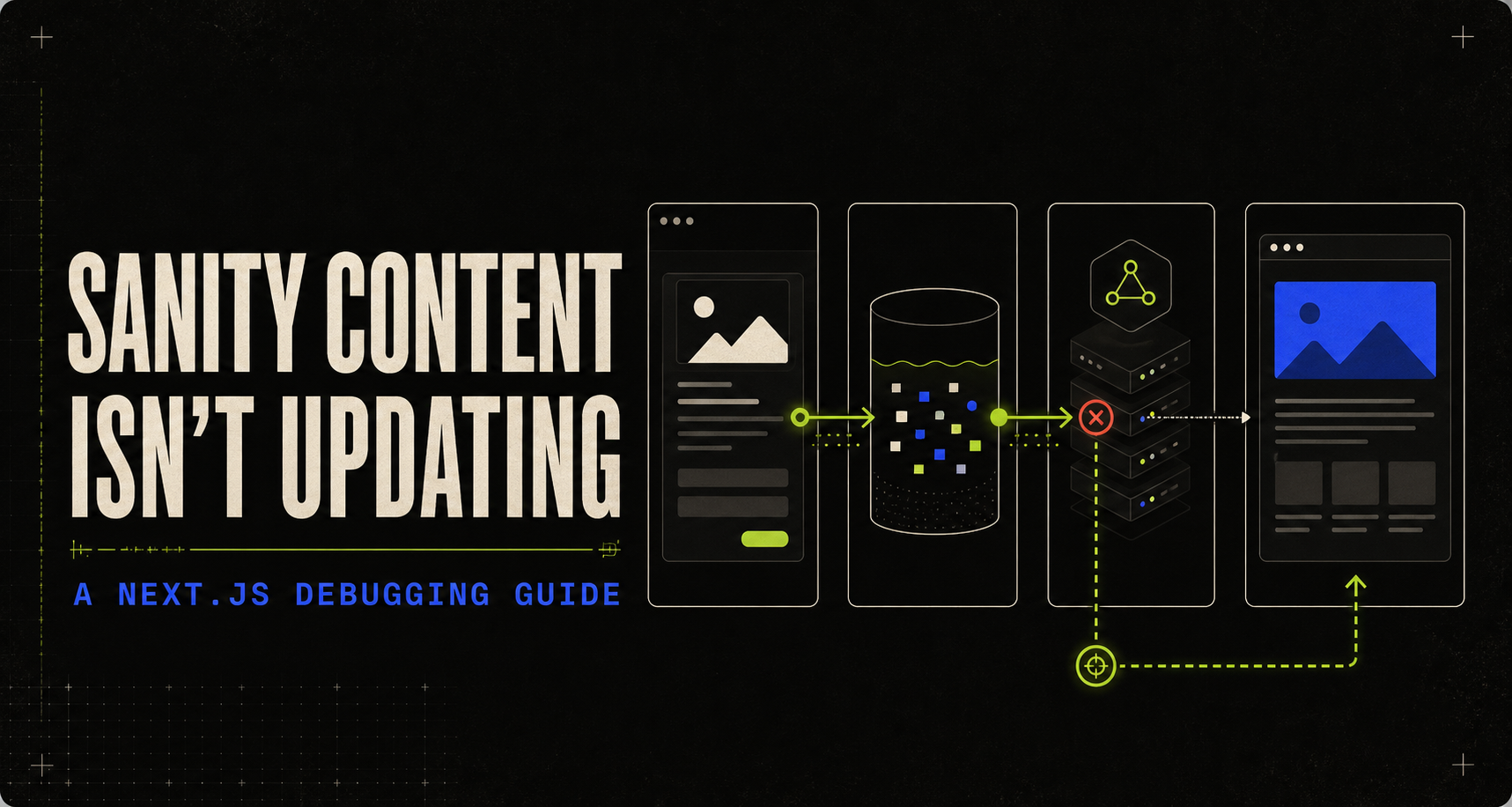
You publish a change in Sanity Studio. The document looks correct in Vision. You refresh the Next.js page—and the old copy is still there. This feels like one caching problem. It usually is not.
A Sanity document passes through several independent decisions before it reaches a visitor: which document version is visible, which query perspective is active, whether Sanity’s CDN can answer the request, whether Next.js cached the data or route, and what event invalidates that cache. Debugging gets fast once you test those decisions in order.
There are four places an update can disappear
Sanity stores drafts as separate documents with a drafts. prefix. Publishing copies the draft into its canonical document ID. Since API version 2025-02-19, the default query perspective is published, so a normal production request will not return unpublished edits. That is correct behavior—not stale data.
If the public API returns the new value but the page does not, the fault is in Next.js or a downstream cache. If the API itself returns the old value, stay on the Sanity side.
The two-minute isolation test
Run the smallest possible query against the exact project, dataset, API version, and perspective used by the application. Do not start by changing cache settings.
curl --get \
  'https://YOUR_PROJECT.api.sanity.io/v2025-02-19/data/query/production' \
  --data-urlencode 'query=*[_type == "post" && slug.current == $slug][0]{_id,_updatedAt,title}' \
  --data-urlencode '$slug="your-post"' \
  --data-urlencode 'perspective=published'
If the direct query returns the old value, confirm the document was published and verify the project ID, dataset, and perspective. If it returns the new value while the page stays old, inspect Next.js and downstream caches. If only preview is stale, check authentication, the drafts perspective, useCdn: false, and the Draft Mode cookie.
Seven common reasons updates do not appear
1. The change is still a draft
Studio shows the draft while your public application correctly asks for published content. Publish the document for public visitors. For editorial preview, enable Draft Mode and fetch with an authenticated server-only token.
const client = createClient({
  projectId, dataset, apiVersion: '2026-02-01',
  useCdn: true, perspective: 'published',
})
2. Vision and the application use different perspectives
Vision may show drafts while the application uses published. Make the perspective and a fixed, tested API version explicit so an upgrade cannot silently change the result.
3. Preview uses the CDN
The drafts perspective requires authentication and bypasses the CDN. A preview client using useCdn: true asks for private changing content through a cache designed for public published content.
const previewClient = client.withConfig({
  perspective: 'drafts',
  useCdn: false,
  token: process.env.SANITY_API_READ_TOKEN,
  stega: true,
})Never prefix a Sanity read token with NEXT_PUBLIC_. That would expose it to the browser bundle.
4. Next.js cached the query indefinitely
Sanity can return the correct value while Next.js serves a cached fetch or route. A route generated at build time does not become dynamic merely because the CMS changed.
const post = await client.fetch(POST_QUERY, {slug}, {
  next: {revalidate: 60, tags: ['sanity', 'post', `post:${slug}`]},
})
5. The webhook invalidates the wrong thing
A 200 response only proves the endpoint ran. It does not prove its tag matches the tag attached to the original query. Validate the webhook signature and use exactly matching tags.
revalidateTag('sanity', 'max')
revalidateTag(body._type, 'max')
if (body.slug) revalidateTag(`post:${body.slug}`, 'max')
6. The app points at another project or dataset
Studio may write to production while a preview deployment reads staging, or local and hosted environments may contain different project IDs. Log identifiers—never tokens—and compare deployed values with Sanity Manage.
7. A referenced document was not published
The article may be published while its author, category, CTA, or page-builder block remains a draft. Production dereferencing can then return null or an older published reference.
*[_type == 'post' && slug.current == $slug][0]{
  title, author, 'resolvedAuthor': author->{_id, _updatedAt, name}
}
Use Sanity Live for the default path
For current Next.js App Router projects, Sanity recommends the Live Content API through defineLive. It handles live updates and automatic cache revalidation, while Draft Mode switches to the correct preview behavior.
import {defineLive} from 'next-sanity/live'
import {client} from './client'

export const {sanityFetch, SanityLive} = defineLive({
  client, serverToken: process.env.SANITY_API_READ_TOKEN,
})
Keep the implementation aligned with the versions of Next.js and next-sanity you actually run. Cache Components in Next.js 16 introduce different boundaries: request-time values such as cookies and draftMode() must be resolved outside cached functions and passed inward.
Debug from the source outward
Confirm the edit was published or intentionally enable Draft Mode. Query the exact project and dataset directly. Set a fixed API version and explicit perspective. Use useCdn: false for drafts. Compare the API result with the rendered page. Identify the cache strategy on the actual query. Verify webhook signatures and tags. Check referenced documents, production variables, CORS origins, and Draft Mode cookies.
Do not clear every cache. Find the first layer that returns the old value, fix that layer, and leave the others working.